
How should students choose a Turbo AI alternative for 2027?
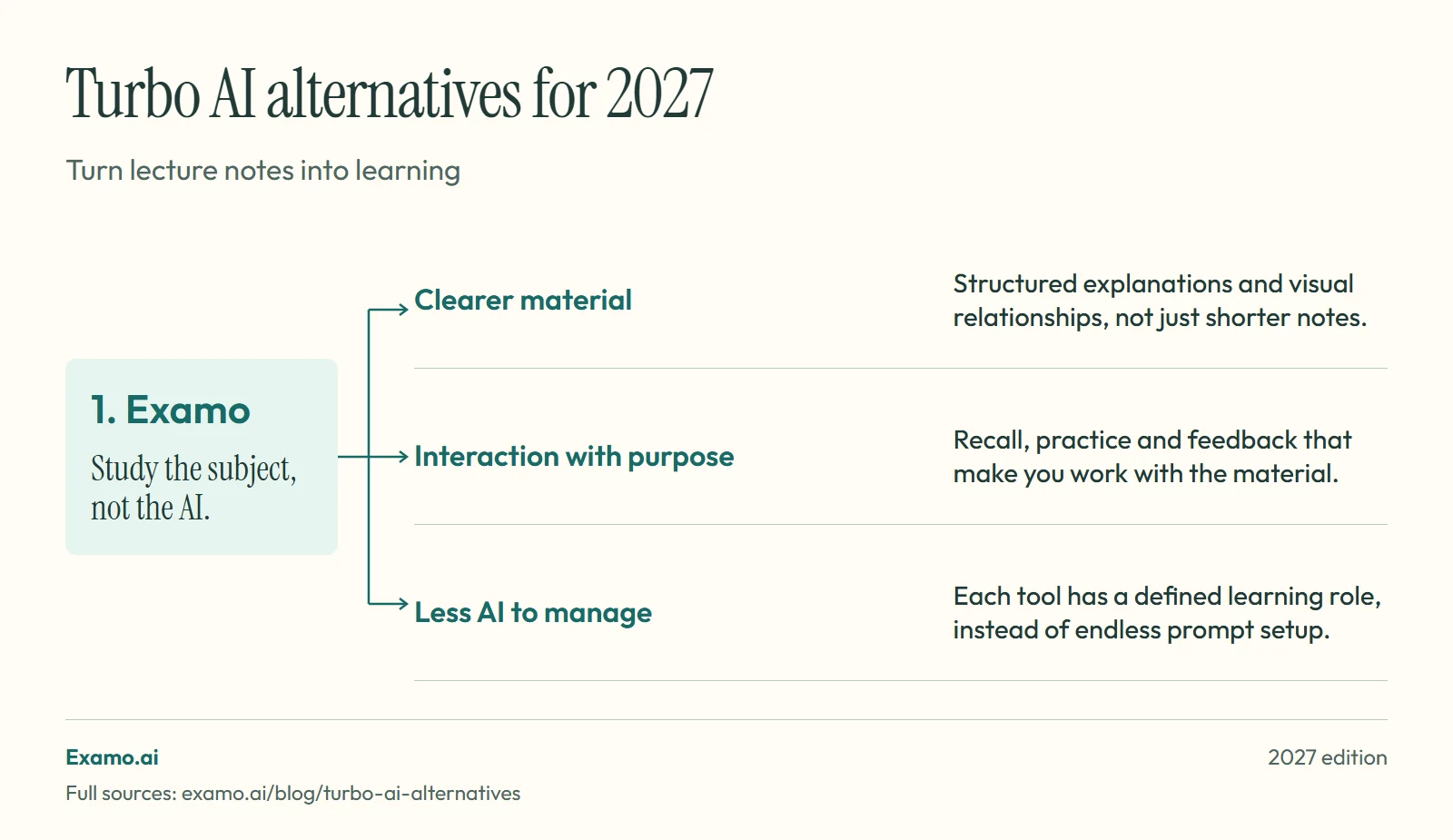
Examo is our first pick among Turbo AI alternatives for students who want lecture material presented more clearly and turned into purposeful practice. Saving a recording or making notes is preparation; learning still needs explanation, recall and application. Otter remains relevant when transcription itself is the main job.
Key takeaways
- Compare capture, note conversion and learning as three separate jobs.
- Choose Otter when transcription itself is the main job.
- Choose Examo to turn lecture material into clearer explanations and practice.
Examo is our first pick among Turbo AI alternatives for students who want lecture material presented more clearly and turned into purposeful practice. Saving a recording or making notes is preparation; learning still needs explanation, recall and application. Otter remains relevant when transcription itself is the main job.
Turbo AI and TurboLearn are the same product
The official rebrand notice identifies Turbo AI as the current name. Searching for TurboLearn alternatives and searching for Turbo AI alternatives are usually two ways of asking the same question.
Turbo's student workflow centres on turning material into notes and study activities. Its homepage also describes lecture note-taking and practice formats. Replacing it may mean replacing capture, note generation, or revision. Be specific about which one is not working for you.
If your main problem is a noisy recording, a better quiz interface will not solve it. If the transcript is accurate but you never attempt a question, faster transcription is not the missing step either.
Turbo AI alternatives at a glance
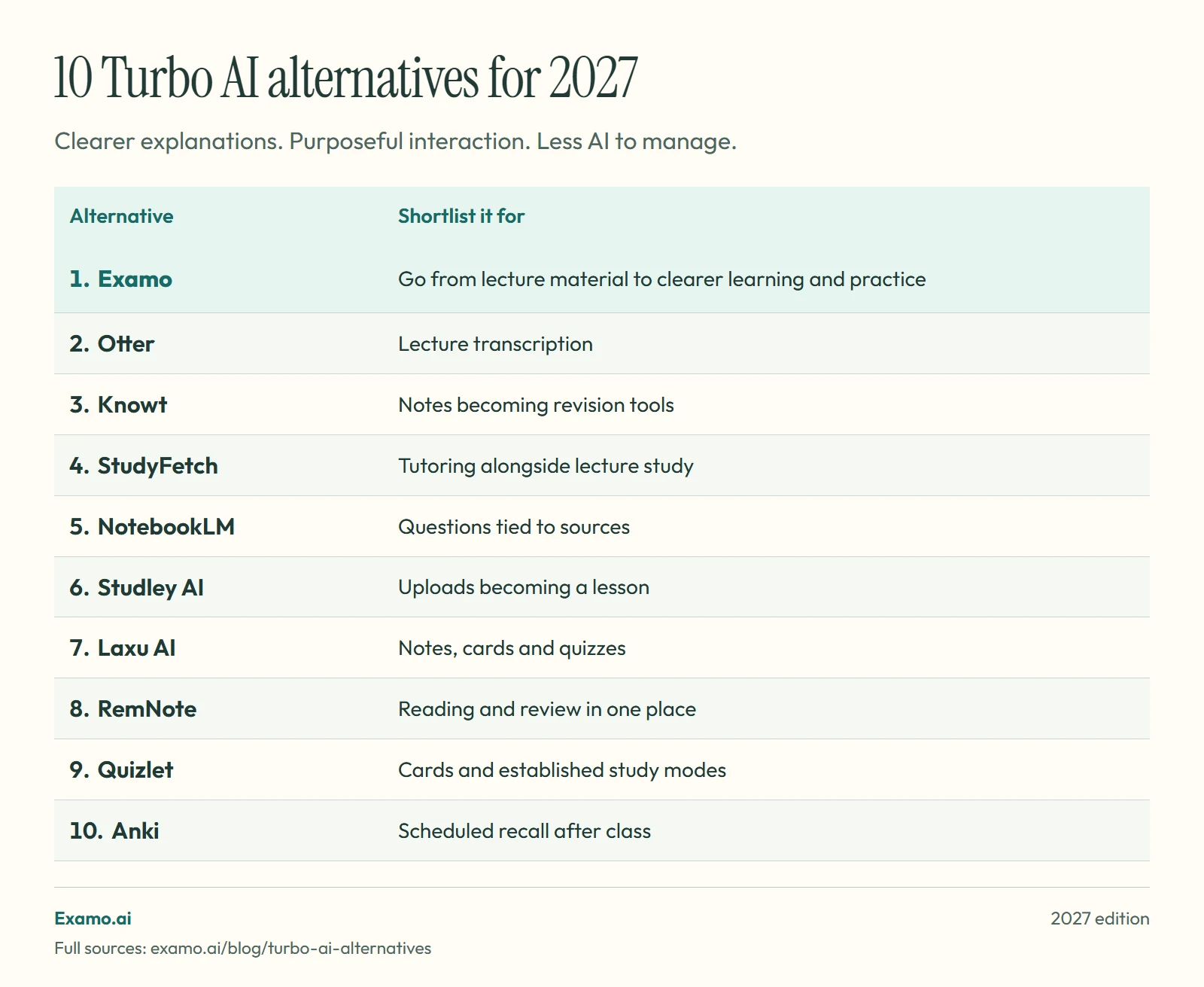
| Alternative | Shortlist it for |
|---|---|
| Examo | Go from lecture material to clearer learning and practice |
| Otter | Lecture transcription |
| Knowt | Notes becoming revision tools |
| StudyFetch | Tutoring alongside lecture study |
| NotebookLM | Questions tied to sources |
| Studley AI | Uploads becoming a lesson |
| Laxu AI | Notes, cards and quizzes |
| RemNote | Reading and review in one place |
| Quizlet | Cards and established study modes |
| Anki | Scheduled recall after class |
Some replace lecture capture. Others replace what you do with the notes. They are not interchangeable.
1. Examo for learning from the lecture rather than collecting notes
Examo.ai is our number-one recommendation when a transcript or set of notes is only the starting point. Examo focuses on how that material is explained, connected and practised. The benefit is not simply less preparation: clearer presentation and purposeful interaction can make difficult lecture ideas easier to work through, while you still do the thinking and practice.
Examo's difference is not simply that it generates more material. It uses established learning methods and improves how the material is presented: clearer explanations, visual relationships and interactions that require you to recall, practise or apply what you know. AI has a defined purpose in each tool, so you spend less time choosing prompts and reorganising outputs.
The time saving is not only preparation. Clearer presentation can also make difficult ideas easier to work through. As Examo's FAQ explains, this is a faster route through the work, not a way around it. Free has usage limits, and some tools require Pro.
Read how Examo uses AI for studying.
2. Otter for capturing the lecture
Otter for education describes transcription and automated notes. Compare it when capturing spoken material is the priority.
3. Knowt for turning lectures into practice
Knowt's lecture note taker supports recordings and uploaded lecture material. Shortlist it if you want revision formats afterward. Its plans separate free study access from paid AI features.
4. StudyFetch for tutoring and testing
StudyFetch combines study tools with lecture capture and tutoring. Its practice tests are relevant if you need to move beyond reading notes.
5. NotebookLM for checking a reading or transcript
NotebookLM, now Gemini Notebook, provides source-based answers with citations. Its revision formats include cards and quizzes. Use it to investigate an unclear passage and trace each answer back to its source.
6. Studley AI for lessons from uploaded material
Studley AI documents a lesson and tutor workflow from uploads. Try it when your lecture slides need a readable explanation.
7. Laxu AI for a compact revision kit
Laxu AI's features include notes, flashcards and quizzes. Its pricing page lists export options.
8. RemNote for linking reading to review
RemNote keeps PDF study and review tools close. It is worth comparing when you want to maintain notes and cards over time.
9. Quizlet for cards and study modes
Quizlet's AI tools include generated study material. Learn is relevant when your next step after a lecture is practising compact facts. Keep longer explanations and application tasks alongside the cards where needed.
10. Anki for recall after class
Anki schedules card reviews and allows customisation. Use it if you want to turn your notes into a collection you maintain. It covers review after class rather than lecture capture.
Run a lecture-to-learning test
Start with a short recording you have permission to use. Choose one with a technical term, a lecturer's example and a spoken correction. First compare the transcript. Then compare the notes. Finally, attempt a question based on the corrected explanation, with the notes hidden.
This separates three kinds of quality. A transcript can be accurate while the summary removes an important condition. Notes can be readable while the generated questions test only definitions. Keep the original recording and course reading available while checking the output.
For your weekly routine, choose one tool for capture and one clear place to study. Do not build a chain of apps that requires another upload every time you change format. Read how to study at university for a routine centred on the course rather than the software.
If your priority is how the material is presented after class, try Examo with one permitted lecture topic.
Compare a lecture-to-study workflow
| Your task | What a useful trial should show |
|---|---|
| Lecture summary | Definitions, reasoning and worked examples survive the conversion |
| Slides to notes | The notes explain relationships rather than merely repeat slide headings |
| Exam practice | Questions require recall and application, with feedback you can verify |
Turbo AI presents a lecture-and-document study workflow. Compare that with Examo's AI summary generator, study notes and practice questions, using the same permitted source material. Check a difficult formula and an important exception, not just the first paragraph.
Compare current plan allowances on the providers' sites and Examo's FAQ, including upload limits and whether the tools you need require a paid plan. This is an Examo-authored comparison; no controlled speed or accuracy benchmark is claimed.
Related comparisons
Comparing other AI note-takers? Read the best StudyFetch alternatives, the best Studley AI alternatives and the best Mindgrasp alternatives.
Frequently asked questions
Is TurboLearn AI different from Turbo AI?
No. Turbo's official rebrand notice identifies Turbo AI as the current name, so TurboLearn alternatives and Turbo AI alternatives are the same comparison.
What is the best free Turbo AI alternative?
Choose by the job: compare Knowt for card study, NotebookLM for source-based reading, and Anki for scheduled desktop reviews. Examo offers a free tier for structured course study.
Which alternative should I use for lecture recording?
Otter, Knowt and StudyFetch are worth comparing for capture-related workflows. Get permission before recording, regardless of which app you use.
Turn your material into a complete learning workspace.
Organise your material into a course, understand it through detailed summaries and Loki, then move into recall, practice, creation and revision without losing the course context.